

Reporting
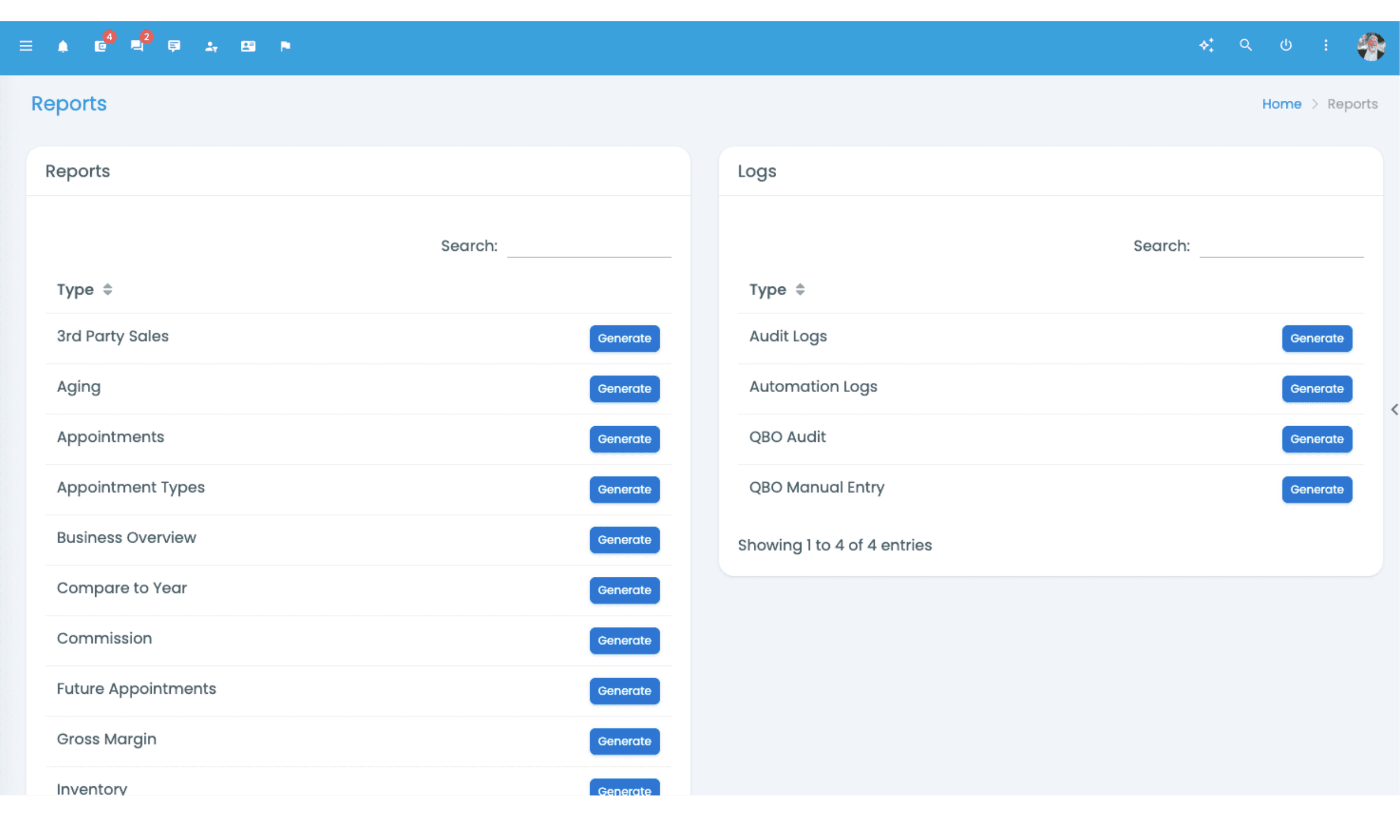
Approximately 40 distinct reports in production today, plus a Marketing Reports section. Sales by Manufacturer, Sales by Tech Level, Sales by Zip Code, Compare to Year, Patient Purchases, Pipeline Status. The questions practice owners ask about their own operation, answered against the live patient and inventory data running on amplifyOMS.
The reports you have are not the reports you need.
Every practice management system ships with reports. Most ship with the basics: daily sales, monthly revenue, appointment counts, inventory on hand. The basics are necessary, but they don't answer the questions a practice owner actually asks. Which manufacturer drives the biggest gross margin contribution this quarter compared to last? Which technology tier is moving in which zip code? How does this April look against last April? Which providers are converting tests to fittings at the rates you expected when you hired them?
These are the questions that change how a practice gets run. Most systems can't answer them, or can answer them only after you export the data and rebuild the report in Excel.
The reporting layer in amplifyOMS was built by a practice owner who actually needed the answers.
The report that most systems don't have.
Compare to Year is the report that most practice owners didn't know they needed until they had it. It compares the current period (month, quarter, year-to-date) against the same period last year, line by line. New patients last March against new patients this March. Revenue by tech level last quarter against this quarter. Insurance reimbursement timing last year against this year.
The value shows up in pattern recognition. A 15 percent dip in March revenue might be normal seasonal variance if last March showed the same pattern. The same dip with a strong prior March is an operational signal that something changed and is worth investigating. Without the comparison, you are deciding against an abstract baseline instead of the actual one.
Most practice management systems can show you the current period or last year's totals, but not the side-by-side comparison at this depth. The four competitor systems we reviewed (Sycle, Blueprint, CounselEAR, Suno) do not publicly document a Compare to Year report at this depth.
- Units sold
- 38
- vs. same month last year
- +12%
- Tested, not treated
- 14
- Follow-ups sent automatically
- 212
Units by month, this year vs. last
The marketing reports that change how you spend.
The Marketing Reports section surfaces the analytics an audiology practice owner actually needs to make marketing decisions. Three reports in particular do work that none of the four competitor systems publicly match at the same depth.
Sales by Manufacturer
The gross margin contribution of each manufacturer line you carry, broken out by units, revenue, and margin. Is the manufacturer mix balanced for the margin structure you think it is? Which manufacturer drives the most margin per fitting?
Sales by Tech Level
The mix of technology tiers your practice is fitting, with the revenue and margin pattern at each tier. Is your team fitting up the tier ladder appropriately, or leaving margin on the table by defaulting to mid-tier?
Sales by Zip Code
Where your patients live and which zip codes drive the highest fitting rates. Where should the next marketing dollar go? Which zip codes are over-indexed and which under-indexed? Where should the next clinic open?
Most reporting tools surface the basics. These three surface the patterns that change how the practice spends and where it grows.
Every report scopes to Region, Clinic, or Provider.
The multi-location architecture extends natively into reporting. Every one of the approximately 40 reports supports filtering at the Region, Clinic, or Provider level. This is the difference between multi-location-capable reporting and multi-location-native reporting.
A regional manager running five clinics scopes the entire reporting layer to those five clinics. Sales by Manufacturer shows the regional mix, then drills to the clinic where the mix is anomalous. Compare to Year scopes to a single clinic to investigate whether last March's strong numbers were a regional pattern or a local one. Sales by Zip Code scopes to the region to surface the geographic patterns that inform regional spend.
At consolidator scale, the analytics layer is the operational backbone. The same architecture that lets a regional manager scope to five clinics lets the master view see the entire operation aggregated, then drill into the clinic, region, or provider that warrants attention. The reports don't change between roles; the scope does.
The reports run against live data.
There is no overnight batch refresh, no warehouse lag, no "as of yesterday" caveat. When you open Sales by Manufacturer at 2pm on Tuesday, the data reflects every fitting recorded through 2pm on Tuesday. That matters when you're using a report to make a decision today.
The Audit Logs and Automation Logs reports surface the compliance and operational audit trail: every patient file change, every user action, every workflow that fired. That matters for HIPAA compliance and for operational troubleshooting (the receptionist insists she never moved the appointment; the audit log shows exactly when, by whom, and from what to what).
The QBO Audit, QBO Bills, and QBO Manual Entry reports surface the reconciliation depth between amplifyOMS and QuickBooks Online, so the financial picture stays consistent and any gaps surface before they become quarter-end fire drills.
See the reports running against actual practice data.
The walkthrough is about 25 minutes. We'll open the reporting menu, walk through Compare to Year and Sales by Manufacturer and Sales by Zip Code against real practice data, and look at how the filter scope works across Region, Clinic, and Provider. Real product, not a sales tour.