The hearing test
SampleHearing test
- Triggered by
- Audiogram recorded at the visit
- amplifyOMS sent
- Visit outcome and recommendation saved to the patient record (In the record)
- Outcome
- Recommended a fitting
- Done by
- Patient record

Growth Engine
The Growth Engine runs your patient follow-up off the dates already in amplifyOMS: the last hearing test, the purchase, the warranty, the last visit. 266 workflows handle compliance and 22 pieces of the patient journey, with more in development. You pick the programs, write the offers and set the timing.
You've got patients who tested last year and didn't come back. Patients you fit three years ago whose warranty ran out last month. Patients whose hearing aids are old enough to talk about new ones, and nobody on your team has time to call them.
Most owners patch it. A spreadsheet of upgrade candidates. Sticky notes at the front desk. One person who calls the tested-not-treated list once a quarter when it's slow. It works until that person leaves, and it doesn't hold up past one location.
The Growth Engine replaces the patchwork.
The Growth Engine is the follow-up layer inside amplifyOMS. It reads the patient record you already keep, so each program knows who's due for what. A booking or a purchase pulls the patient out of the programs that no longer apply.
Most programs start with an email and hand off to a text. Hearing test reminders, warranty and the 6-month check-up can add a mailed letter and a voicemail once those are set up for your practice. Each channel has its own switch, so you can run email and text without mail.
We wrote the cadences from our own clinics. That's where the rules about which programs shouldn't overlap came from.
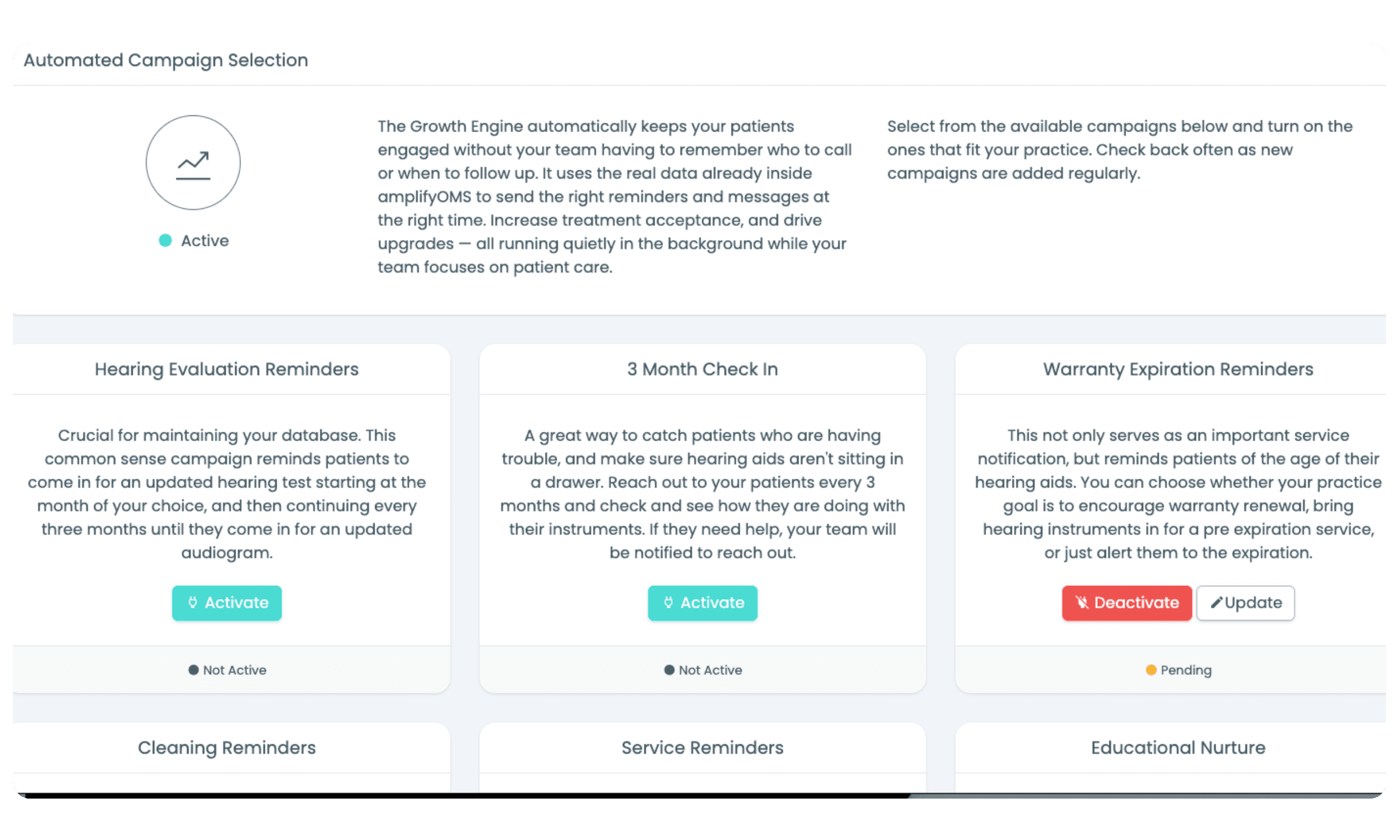
Four groups, the same ones you see on the Growth Engine dashboard. Every program has its own switch, and every switch starts off.
The patients who are due and haven't booked.
Starts 12, 18 or 24 months after the last test, your choice, and comes back every three months until the patient books. Email first, then a text. It skips anyone who was just in or already has a visit coming.
A quarterly offer to patients whose aids have reached the age you pick: three, four or five years. You write the four offers. A patient who texts back YES goes to your team. It stops when they buy.
A text and an email right after a no-show, then two more nudges over the next few days to get the visit back on the books.
They already told you they have a hearing concern.
Starts the day after a test with no purchase and comes back at two weeks, one month, three months and six months, by email and text. New patients and upgrade candidates get separate tracks, each with four offers you write.
People who aren't patients yet.
Someone takes the hearing check on your website and gets a result email matched to how they did, then three follow-ups over the next few weeks. Results that need a medical referral go to your staff.
A guide for people who ask for one, then an education email every two weeks. No offers in it. It keeps your practice in the inbox until they're ready.
A keyword people can text from a mailer or an ad to get your current offer and a link to book.
The follow-through after the fitting.
A ready-for-pickup notice, then a support email three days after delivery written for the make and model the patient is wearing.
Each ear is tracked on its own. The patient hears from you 45 days before the warranty ends, again at 14 days, and on the day. A renewal stops all of it.
A check-up reminder six months after the last visit, plus separate reminders for hearing aid cleaning, ear wax removal and dryer service on their own schedules.
A birthday note and a note on the anniversary of the fitting. Neither one sells anything. The anniversary note steps aside in the year upgrade offers start.
Annual test and follow-up reminders for patients under 18, sent to the parent.
Run several programs at once and a patient could get three messages in a week. So before anything sends, the Growth Engine checks whether that patient heard from another program in the last 14 days. If they did, it waits.
Messages go out during business hours. Each warranty stage holds for 60 days before the next one can start. A booking, a purchase or a warranty renewal takes the patient out of whatever no longer applies.
Opt-outs are handled from day one, with no switch to forget: a STOP reply, an email unsubscribe, a do-not-market flag. That part is always on.
One patient, one warranty
A sample patient's warranty ends June 30. Nobody at the front desk has to remember any of this.
An email goes out, then a text, then a letter in the mail. An upgrade offer comes due the same week. The patient just heard from you, so it waits.
No renewal on the record yet, so the second round goes out: an email, a text and a voicemail that doesn't ring the phone.
One last email and one last text, with your phone number and your booking link.
The patient comes in and renews. Your team records it, and anything still queued for this warranty is cancelled. The reminders start over when the new warranty gets close.
Illustrative. Sample data, not a real patient or practice.
The Growth Engine dashboard shows which programs are on and how many patients each one reached, by email and by text, over the last 30 or 90 days.
It also gives your team a short list for today: screening results to call, visits nobody confirmed, no-shows that were never rebooked, and patients who replied.
And it shows you the lists behind the programs: who's due for a test, who tested and didn't buy, who's ready for an upgrade, and whose warranty ends in the next 45 days.
Off
Needs your team today
Patient lists
You pick a program in amplifyOMS and answer a few set-up questions. We check your offers and your details, then switch it on. Start with two or three and add more once your front desk has the rhythm.
Every email and text carries your practice name, logo, colors, phone number and booking link. The offers are yours too. If you haven't written one for a program, it doesn't make one up.
The new engine is going out to accounts in phases. If you're already on Premium, we'll reach out when your account is up.
Next touchpoint goes out on its own. Nobody at the front desk has to remember it.
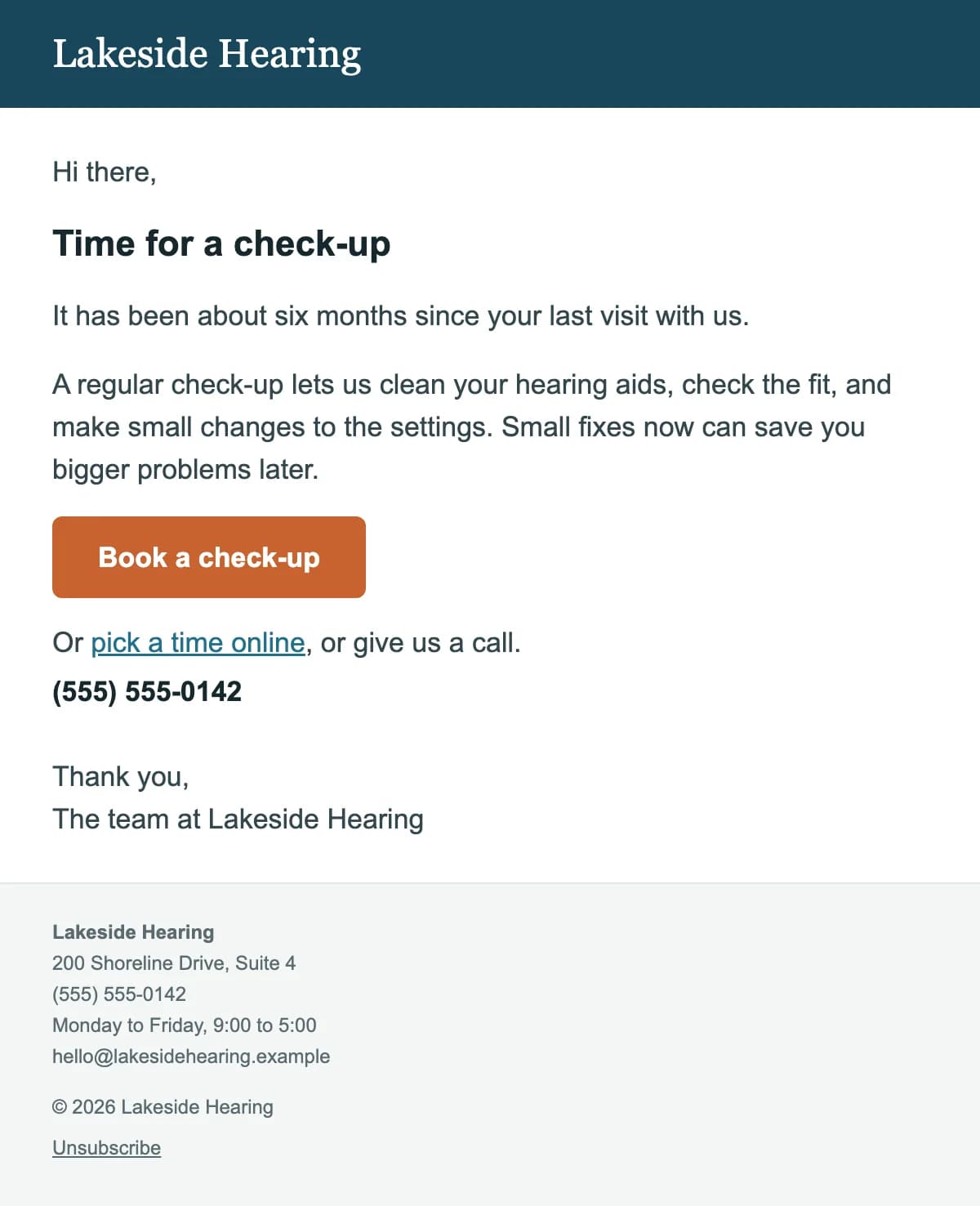
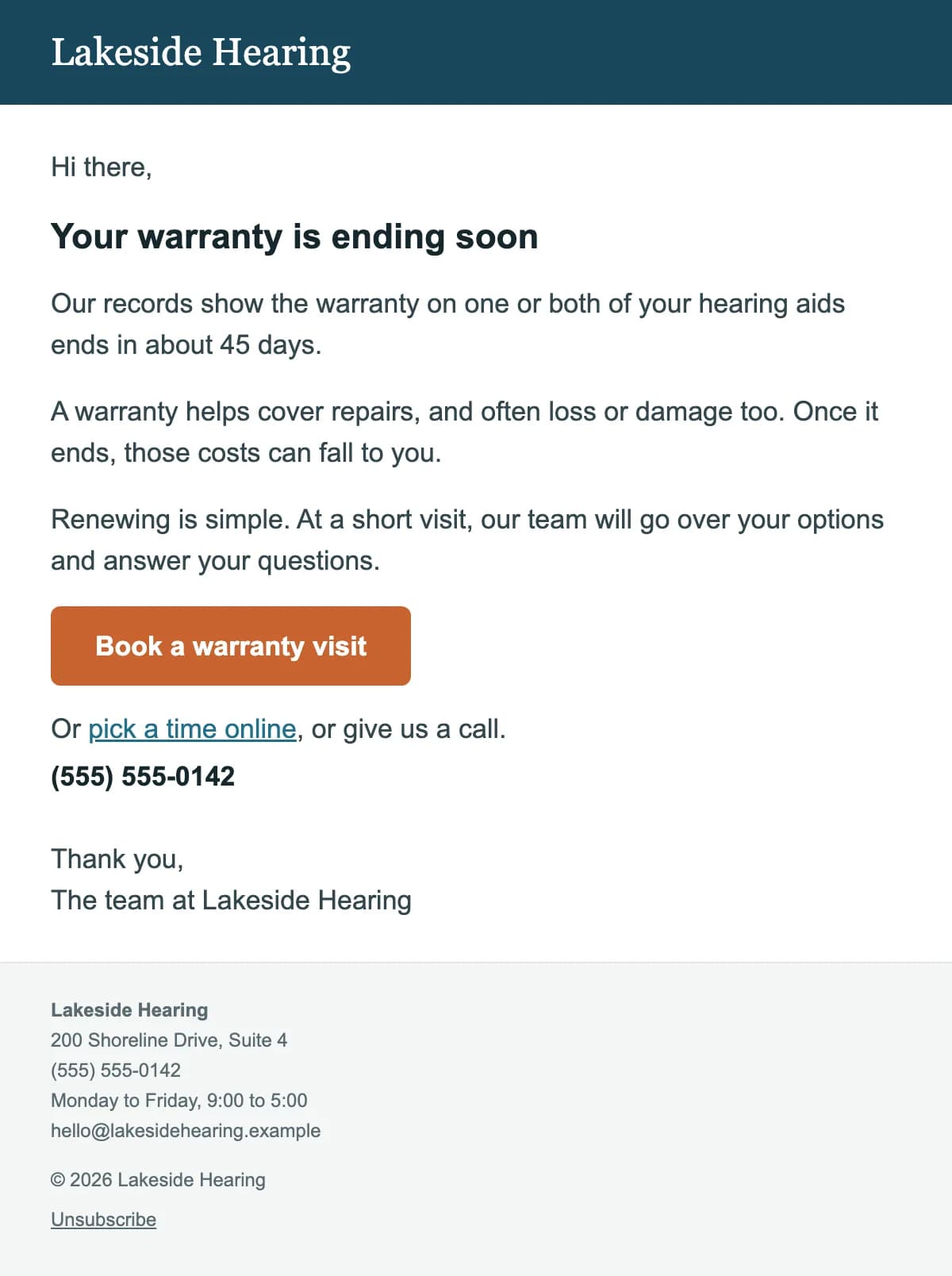
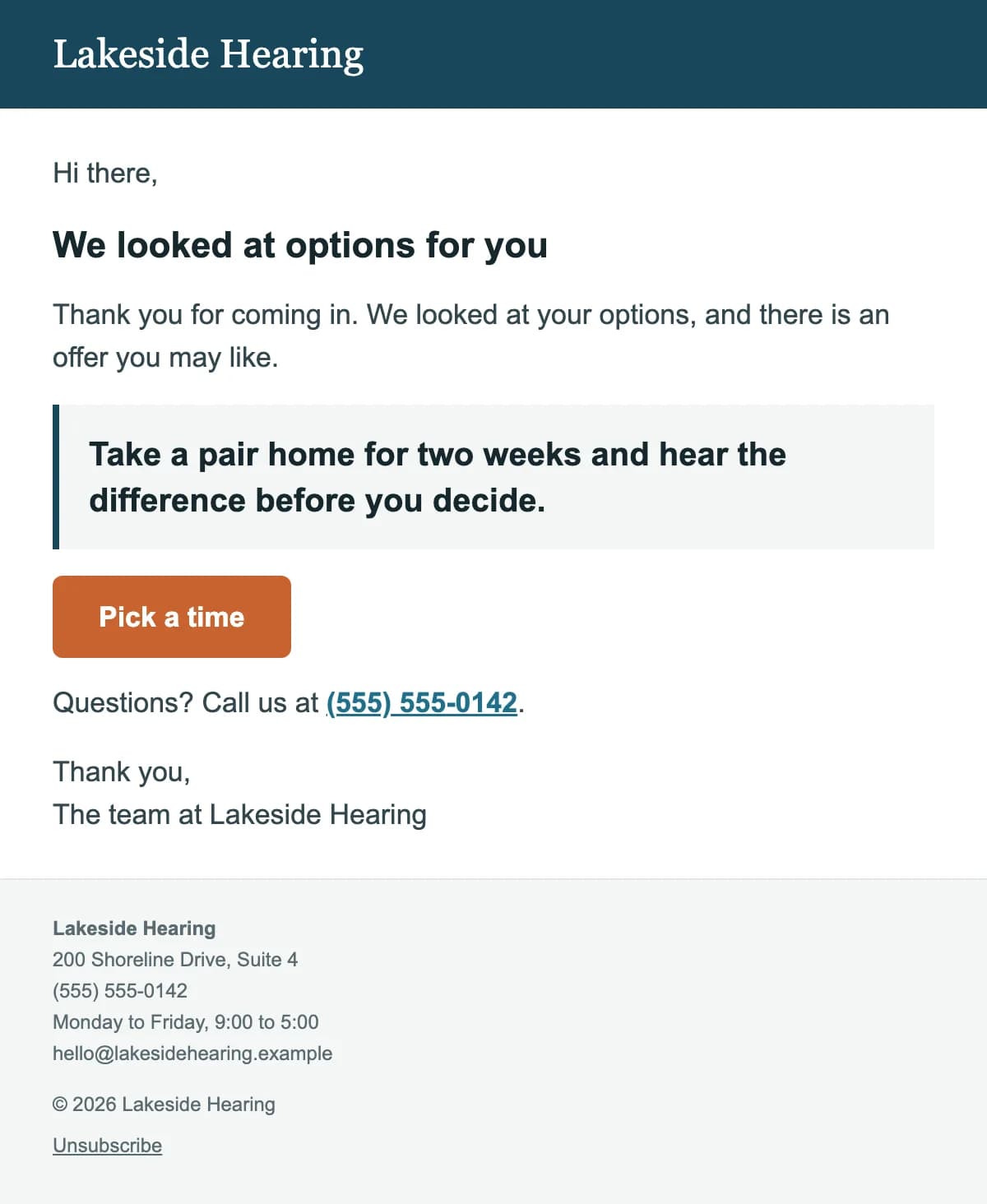
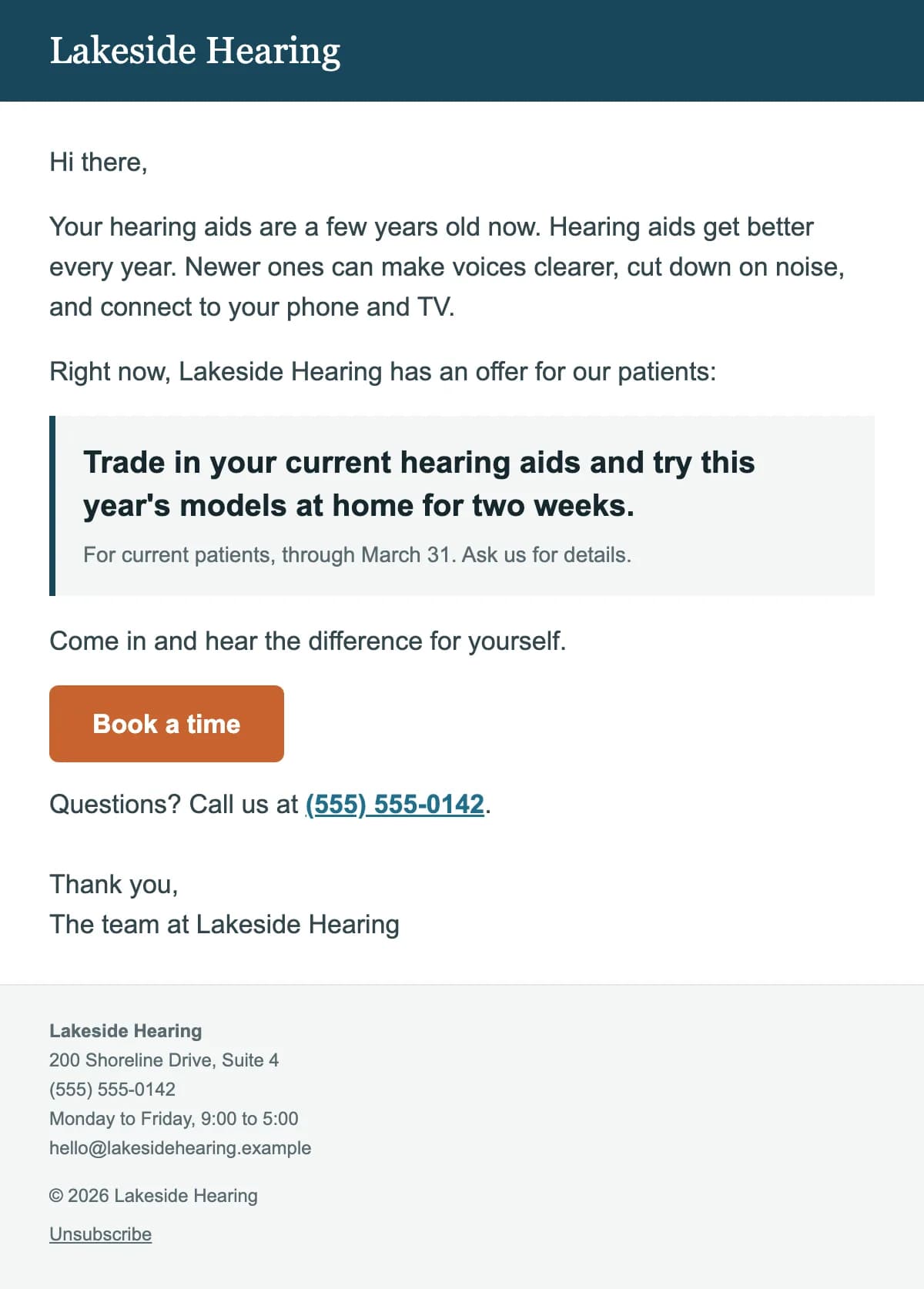
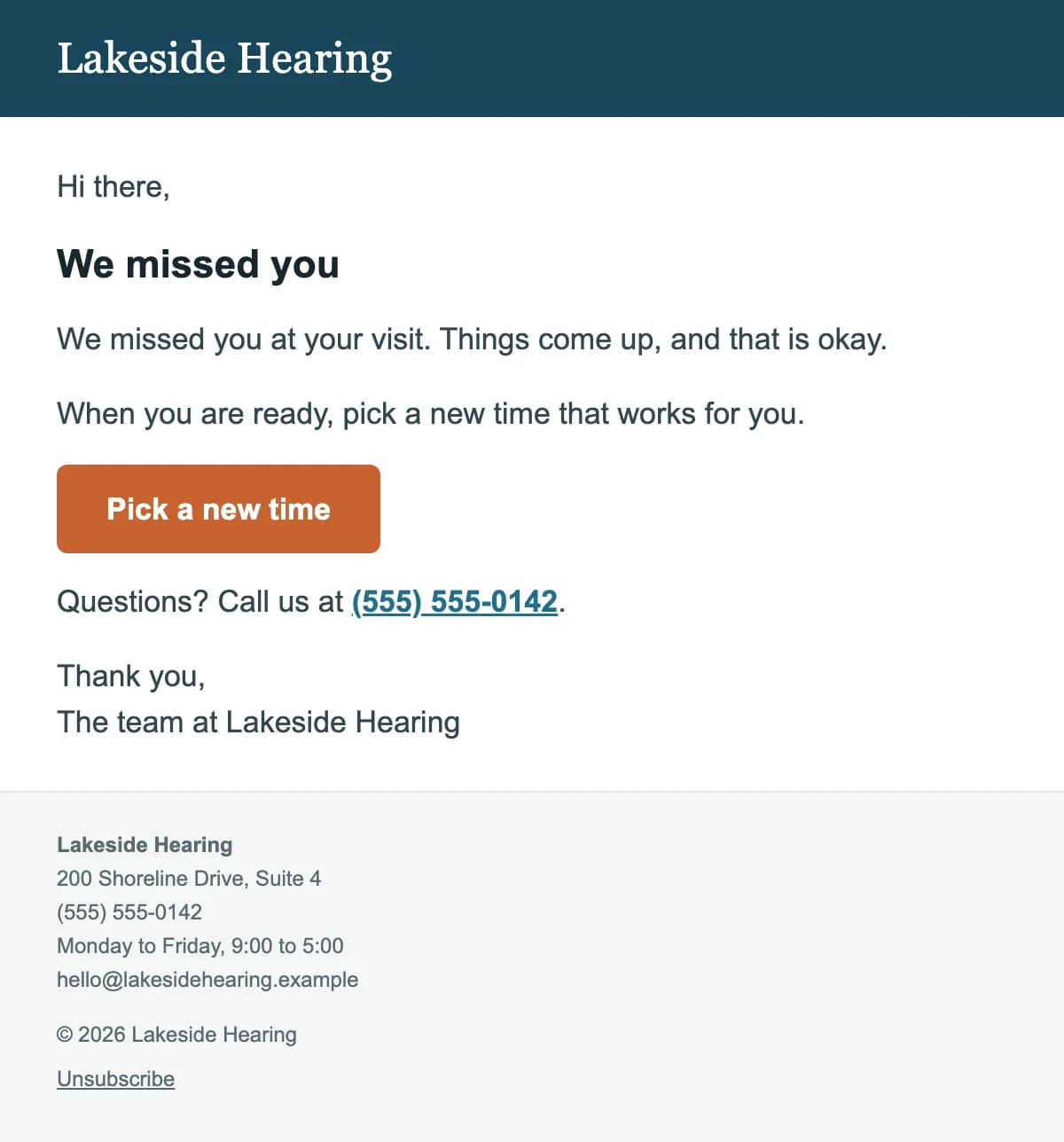
Growth Engine emails, shown here for a made-up practice. Yours carry your name, logo, colors and offers.
Illustrative
One sample patient, from the hearing test to the next pair of aids, and every follow-up that went out without anyone at the front desk remembering to send it.
Illustrative. A sample patient and sample outcomes, not real patient data. *Assumes about 6 minutes of front-desk time per follow-up done by hand. Illustrative.
The lifecycle revenue compounds regardless of practice size. A one-clinic practice with 800 active patients has a tested-not-treated list, a warranty-aging patient set, an upgrade-eligible cohort, and a service-and-cleaning calendar. The Growth Engine fires touchpoints against all of them automatically. The Tested Not Treated Drip and the Upgrade Eligible Drip alone often surface enough recurring revenue to cover the Premium tier subscription for a one-clinic practice, with the rest of the programs generating retention value that shows up in five-year patient retention rather than as a line item.
The right question for a one-clinic owner is not whether the Growth Engine is worth the Premium tier. It is whether your current patchwork system is recovering as much lifecycle revenue as a configured automation layer would. For most one-clinic practices, the honest answer is no.
At three clinics, five clinics, ten clinics, the lifecycle revenue compounds further because the patient database compounds further. The same programs run across every clinic, configured per practice but operating against the unified patient database. A multi-location practice with 4,000 active patients across five clinics is firing lifecycle touchpoints against four thousand people every week.
The operational lift at multi-location scale is bigger than the patient-count multiplier suggests. A single-clinic owner running the Growth Engine recovers revenue they wouldn't otherwise capture. A multi-location practice owner recovers that revenue and reclaims the staff hours that would otherwise go to maintaining patchwork outreach across locations. The second effect is often the bigger one.
The walkthrough is about 25 minutes. We'll look at your current patient outreach setup, the lifecycle revenue you're not capturing today, and which programs would matter most for your practice. You'll see the real product.